
Cloe Completed Listing on eBay
Epic AppzShopping
3.839.00 Reviews
- Version
- 97
- Installs
- 10.00K
- Age Rating
- Everyone
Screenshots
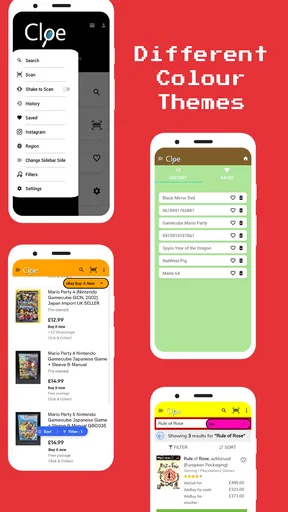
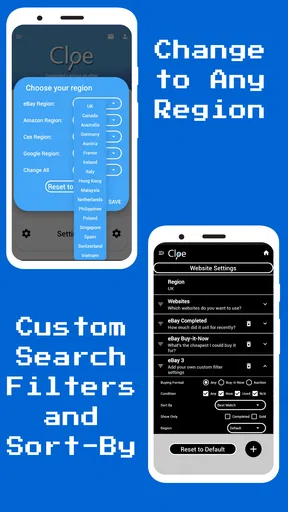
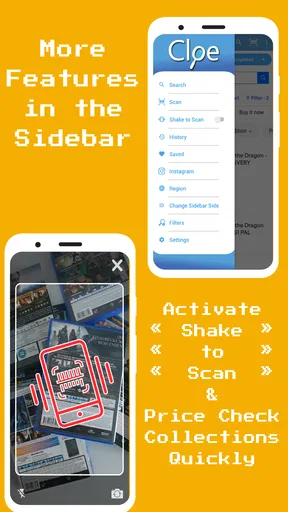
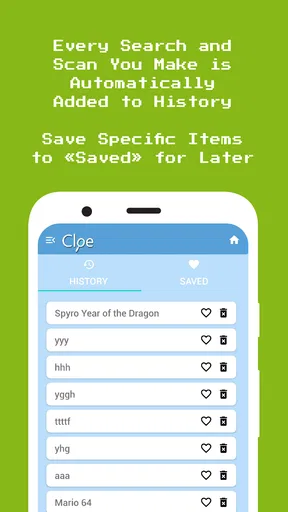
Our Review of Cloe Completed Listing on eBay
 Analysis by Appyee
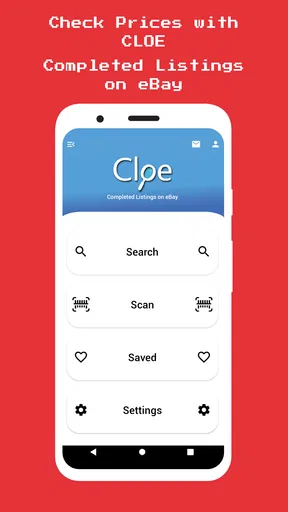
I found Cloe Completed Listing on eBay most useful when I wanted a quick reality check before buying or selling something on eBay. Instead of relying only on active listings, the app focuses on completed listings and eBay’s lowest Buy It Now offers, with barcode scanning and text search as the main ways to look something up. That makes it a practical shopping tool rather than a full marketplace replacement.
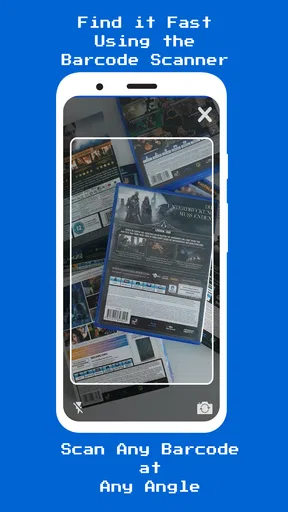
My first impression was that its appeal is easy to understand. You see an item in a shop, scan its barcode, and use the results to judge whether the price looks sensible. For products without a barcode, searching by name gives you another route. The idea is simple, but it addresses a real problem: an asking price is not the same thing as a price that buyers have actually accepted.
After using it for a while, though, I think its lasting value depends heavily on your habits. If you regularly compare prices, resell household items, or browse secondhand goods, it can become a useful part of your routine. If you only need a price check once every few months, the novelty may wear off quickly because the app is focused on one narrow job.
What the first week feels like
The first week is when the app makes the strongest case for itself. A barcode scan is more convenient than typing a long product name, especially for boxed electronics, books, games, accessories, or other packaged goods. When the scan identifies the right product, it gives you a faster starting point for comparing marketplace activity than manually opening eBay and constructing several searches.
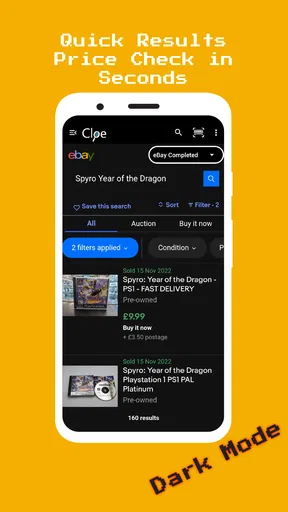
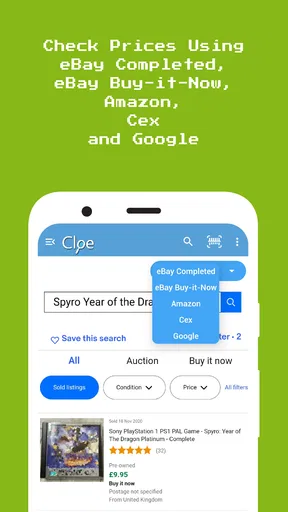
I also like the distinction between completed listings and the lowest Buy It Now options. Those two views answer different questions. Completed listings help me estimate what people have actually paid, while the lowest current fixed-price offer shows the cheapest visible route to buying now. Looking at both prevents a common mistake: treating one optimistic seller’s listing as the market value.
That difference is especially useful when selling. Suppose I am clearing out a drawer and find a sealed accessory I no longer need. I can scan it before writing a listing, inspect completed results, and then compare them with the lowest current Buy It Now price. If completed sales cluster below the cheapest active offer, I know that simply copying the lowest listing may leave the item sitting unsold. If the completed results are stronger, I have more confidence in choosing a competitive asking price.
The search option matters just as much as scanning. Many items have no readable barcode, and older products may not scan cleanly. A manual search lets me try the model name, edition, or identifying phrase instead. In practice, I would not rely on one vague search. I would begin with the exact model, then remove unnecessary words if the results are too narrow, or add details such as storage size, color, or generation when the results are too broad.
That is one of the first non-obvious lessons with this app: the quality of the answer depends on the quality of the search. A barcode can identify a product family, but it may not tell you whether the item is new, used, bundled, region-specific, or a different revision. I still need to read the returned listings carefully. The app speeds up discovery; it does not eliminate the need for product judgment.
The interface also feels more appropriate for quick checks than for long research sessions. I can imagine using it while standing in a charity shop, at a garage sale, or beside a shelf at home. It is less compelling as a replacement for the full eBay experience when I need seller history, detailed condition comparisons, shipping terms, or a complete purchase workflow.
That limitation did not bother me during the first week because the app’s purpose is narrower. I treated it like a pocket reference tool. Open it, scan or search, compare the relevant results, and close it. That focused workflow is its strength, provided I do not expect it to manage the rest of a buying or selling transaction.
Who gets the most from the quick checks
Casual resellers are an obvious audience. Someone who regularly buys mixed lots, sorts inherited belongings, or lists unwanted electronics can use the app to decide which items deserve further research. It is also useful for shoppers who encounter unfamiliar products and want a second opinion before paying a local asking price.
Collectors may find it helpful when an item has a recognizable barcode or a clear product name, but they should be cautious with condition-sensitive goods. A completed listing for a common edition may not tell me much about a rare variant, signed copy, regional release, or item with missing parts. In those situations, specialist communities or carefully filtered eBay searches can provide better context.
For ordinary bargain hunting, the app is most useful when I already know what I am comparing. It is less useful if I am simply browsing without a product in mind. The tool helps answer “Is this price reasonable for this item?” It is not designed to inspire discovery in the way a marketplace feed does.
Whether it earns a place month after month
The question I kept returning to was whether this is a tool I would still open after the initial curiosity faded. My answer is yes, but only for a specific kind of user. The recurring value comes from repeated decisions: checking stock before buying, pricing items before listing, and comparing a local deal with marketplace evidence.
For a regular seller, the completed-listing view can become a useful checkpoint before spending time on photographs, descriptions, packing, and postage. It helps me decide whether an item is worth listing at all. That is a more important benefit than merely finding a possible price. If the likely return looks weak after considering the effort involved, I may choose a local sale, donation, bundle, or recycling route instead.
For a buyer, the month-to-month benefit is more occasional. I would not open it for every ordinary purchase, but I would use it for products where prices vary widely or where the local seller may be relying on an inflated comparison. The lowest Buy It Now view is particularly handy when I want to know whether waiting or negotiating is sensible.
One practical workflow is to use the app before making a buying decision, then verify the exact condition and total cost on the marketplace itself. A low item price can be misleading if shipping, missing accessories, or a different model changes the real value. Cloe Completed Listing on eBay helps me establish a price range, but I still need to inspect the listing that I may actually buy.
Another useful habit is to compare several completed results rather than anchoring on the first one. One unusually high sale may reflect an excellent condition, a desirable bundle, or an unusually patient buyer. One very low sale may involve damage or an incomplete item. Looking across the available results gives me a steadier impression than selecting a single number.
This is where the app has more long-term value than a simple price calculator. It encourages a better research habit: compare completed outcomes with current offers, then interpret the differences. That habit can prevent both overpaying and underpricing, even though the app itself cannot know every detail about my item.
Still, I would not call it essential for everyone. If I already use eBay’s own search tools comfortably and only check prices rarely, opening another app may add little. The advantage here is convenience and focus, not a completely separate source of marketplace truth. Users who want broad product discovery, extensive filters, seller communication, or checkout will be better served by the main marketplace app.
How it compares with the usual alternatives
The usual alternative is simply searching eBay manually. That approach offers more control and more surrounding information, but it can also take longer. I may need to enter several versions of a product name, switch between completed and active results, and separate the exact item from similar ones. This app is appealing when I want the first useful comparison quickly.
A general barcode-shopping app may show retail prices or competing stores, which is helpful for new products. It may be less useful for secondhand goods, discontinued items, or products whose real value is reflected in completed marketplace sales. Cloe Completed Listing on eBay is more specialized, so its usefulness rises when the question is specifically about eBay activity.
There is also a trade-off between simplicity and depth. A dedicated marketplace app gives me richer listing information and a more complete buying journey. This focused tool reduces the process to scanning or searching and checking relevant price signals. I prefer the focused approach when I am making a quick decision, but I switch to the full marketplace when the decision involves condition, seller reliability, delivery, or returns.
Maintenance, friction, and the reasons fatigue can appear
The maintenance burden is fairly low in the sense that the app does not require me to build a catalog or maintain a collection. I can use it when needed and leave it alone between searches. That makes it easier to keep installed than an app that demands constant updates from the user or encourages daily engagement.
Its main maintenance burden is mental rather than administrative. I have to remember that marketplace prices move, completed sales can represent different conditions, and the lowest current listing is not automatically the best offer. If I stop checking those details, the app can make a quick answer feel more authoritative than it really is.
Search discipline is another recurring responsibility. A broad phrase may combine several versions of an item, while an overly exact phrase may miss relevant sales. I get better results by starting with the model identifier, checking whether the returned items truly match, and then adjusting the wording. This is a small effort, but it matters more than the act of scanning itself.
Barcode scanning can also create friction when packaging is damaged, the code is obscured, or the product has multiple variants. In those moments, manual search is not a backup of last resort; it is part of the normal workflow. I would keep the model number or distinctive product wording visible when possible, because that gives me a better chance of separating the right item from near matches.
Fatigue usually comes from repetition. If I am checking many similar items one after another, each result still needs interpretation. The app can shorten the lookup, but it cannot decide whether a bundle is comparable, whether a used item is complete, or whether a minor revision changes the value. After several searches, the process may feel less effortless than the first scan suggested.
Another source of fatigue is the gap between a price signal and a final decision. Seeing completed listings may tell me that an item has sold around a certain level, but I still have to account for my own condition, timing, fees, postage, and willingness to wait. The app is strongest at the beginning of the decision, not at the final calculation.
The free price makes experimenting easy, although in-app purchases ranging from ninety-nine cents to twelve dollars and ninety-nine cents per item may matter to users who encounter them. I would pay attention to what is included in the normal workflow before spending anything. For occasional checks, the free entry point is the important part; frequent users should decide whether any optional purchase genuinely saves enough time to justify it.
Compatibility is also straightforward for many older Android devices because the app supports Android five point zero and later. That broad baseline can be useful if I am using an older spare phone for scanning. At the same time, an older device may make camera-based actions or general navigation feel less smooth than on a newer phone, so the experience can depend on the hardware as well as the app.
What I would check before trusting a result
Before accepting a result, I would confirm the product identity, condition, included accessories, and edition. I would also compare completed listings with current Buy It Now offers instead of treating either view alone as definitive. This simple checklist is more valuable than rushing through repeated scans.
When selling, I would use the app to choose a realistic starting point, not to promise a guaranteed sale price. A completed listing proves that a transaction occurred, but it does not guarantee that my item will attract the same buyer. Clear photos, accurate condition notes, and sensible delivery terms still determine whether the listing performs well.
When buying locally, I would use the lowest current offer as a negotiation reference only after checking whether shipping or condition makes the comparison fair. A local item may be worth more to me because I can inspect it immediately, while an online offer may involve waiting or uncertainty. The app informs that trade-off rather than settling it.
Who should install it, and who should skip it
I would recommend trying it if you frequently sell unwanted items, visit secondhand shops, buy used electronics, or want a quick eBay-based price reference. It is also a sensible companion for someone who dislikes building complicated searches and prefers a direct scan-first workflow.
I would be more hesitant to recommend it to a person who wants a complete shopping app. It does not replace the broader marketplace experience in my routine. For checkout, detailed seller evaluation, messaging, delivery choices, and the final purchase decision, I still need the usual eBay tools or another marketplace service.
It is also not the best choice for specialist valuation. Rare collectibles, heavily customized products, incomplete sets, and condition-sensitive items require more investigation than a barcode or short search can provide. In those cases, a specialist price guide, collector forum, or carefully filtered research process may be a better use of time.
The app’s age rating is Everyone, which fits the straightforward shopping and price-checking purpose. It is free to start, comes from Epic Appz, and has built a modest user base of over ten thousand installs. Its average rating is three point eight from one hundred twenty-two ratings, with thirty-nine written reviews, so I would read the general reaction as mixed but useful rather than treating it as a universally polished experience.
The current version is ninety-seven, and the app was released on August twenty-second, two thousand eighteen. Those details suggest a product with a long presence rather than a brand-new experiment, but longevity alone does not remove the need to judge whether its focused workflow fits my habits. I care more about whether I will actually use it during real buying and selling moments.
My long-term verdict
After the first-week novelty fades, Cloe Completed Listing on eBay remains worthwhile as a narrow, practical reference tool. Its strongest idea is the combination of completed-sale evidence, the cheapest visible Buy It Now comparison, barcode scanning, and manual search. Together, those features help me make a faster and more grounded decision than guessing from an active listing.
Its weakness is equally clear: it gives me useful signals, not a complete valuation service. I still need to distinguish versions, inspect condition, consider delivery and transaction costs, and decide how much effort an item deserves. People who expect one scan to produce a final answer may become frustrated, while people who treat the results as research will get more from it.
My recommendation is to keep it installed if eBay price checks are part of your regular routine, but skip it if you only need a full marketplace for buying and selling. For me, its recurring value comes from preventing impulsive decisions: paying too much for a local item, listing something at an unrealistic price, or spending time on an item with little resale potential. That is not a flashy benefit, but it is the kind that can justify keeping a small shopping utility on my phone.
In short, I would use it as the first stop in a price check, not the last word. When that distinction matches your expectations, the app earns a lasting place through repetition and convenience. When you need deeper marketplace tools or specialist judgment, the usual alternatives are better.
Verdict
Strengths of Cloe Completed Listing on eBay
- Helps organize sold-item details before creating an eBay listing.
- Useful for checking that titles, prices, and descriptions are complete.
- Can reduce mistakes when recording completed sales.
- Simple workflow may save time for frequent eBay sellers.
- Keeps listing-related information easier to review in one place.
Limitations of Cloe Completed Listing on eBay
- Its usefulness depends on accurate information entered by the seller.
- May require switching between the app and eBay during the workflow.
- Limited appeal for users who rarely sell items on eBay.
- Completed listings may still need manual verification on eBay.
- Features may feel basic for sellers managing large inventories.
Similar Picks in This Category
View All
SHEIN-Shopping Online
Roadget Business PTE. LTD.4.8

Amazon Shopping
Amazon Mobile LLC4.4


Mercado Libre: Compras online
Mercado Libre4.8

Wish: Shop and Save
Wish US Holdings LLC4.7

Alibaba.com - B2B marketplace
Alibaba Mobile4.4
Frequently Asked Questions
What is Cloe Completed Listing on eBay, and what can it be used for?
Cloe Completed Listing on eBay is generally associated with researching completed or sold eBay listings to understand how similar products performed in the marketplace. It can help sellers estimate realistic prices, review demand, compare listing details, and identify useful trends before creating an eBay listing. It is mainly a research tool, rather than a replacement for eBay’s official selling and account-management features.
Does Cloe show accurate and up-to-date eBay sold listing information?
The usefulness of Cloe depends on how frequently its data is updated and how eBay listing information is made available to the service. Completed listings may change over time, and some results can be incomplete, delayed, or affected by differences in shipping costs, item condition, variations, and seller location. Before making an important pricing decision, compare the results with current eBay searches and verify the original listing details whenever possible.
Is Cloe Completed Listing on eBay free to download and use?
The app may be free to install, but some features can require payment, a subscription, an account, or limits may apply to the number of searches available. Pricing and access conditions can vary by platform, country, and app version. Check the Google Play Store or Apple App Store description, in-app purchase section, and subscription terms before downloading or starting a trial, especially if automatic renewal is enabled.
Does Cloe connect directly to my eBay account or require my eBay password?
A completed-listing research app should not normally need your eBay password simply to search public marketplace information. If Cloe requests account access, carefully review the permissions, developer information, privacy policy, and whether an official eBay sign-in page is being used. Avoid entering credentials into an unfamiliar screen, and do not grant access to selling, payment, or personal data unless the purpose is clearly explained and necessary.
What should I check before relying on Cloe for buying or selling decisions?
Use Cloe as a reference tool rather than treating every displayed result as a guaranteed market value. Review several comparable listings and pay attention to condition, brand, model, accessories, item quantity, accepted offers, shipping charges, location, and the date of sale. Results can be misleading when products are rare or listings are poorly matched. Confirm important information on eBay before purchasing inventory or setting a final price.
